UPDATE: Run the following from an elevated Windows PowerShell session to resolve this issue:
Skype for Business 2015
powershell.exe –noexit –command “cd $env:UserProfile; Import-Module ‘C:\Program Files\Common Files\Skype for Business Server 2015\Modules\SkypeForBusiness\SkypeForBusiness.psd1’”
Lync 2013
powershell.exe –noexit –command “cd $env:UserProfile; Import-Module ‘C:\Program Files\Common Files\Microsoft Lync Server 2013\Modules\Lync\Lync.psd1’”
The last few days I’ve been working on getting Lync deployed into my Hyper-V lab, on Server 2012 R2
After deploying the usual prerequisites and Lync 2013 Core Components, I noticed something unusual. I was unable to get a prompt from the Lync Management Shell CLI:
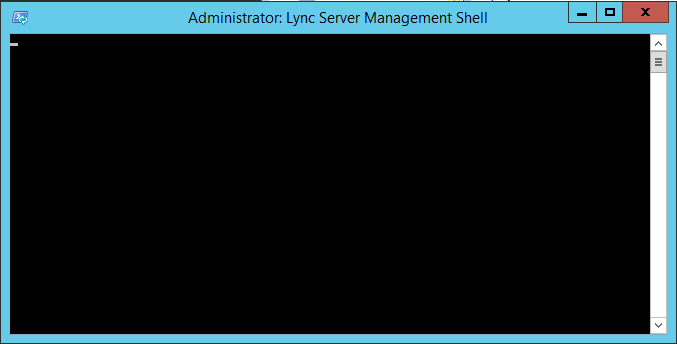
Looking closer at the shortcut installed on the Start Menu (C:\ProgramData\Microsoft\Windows\Start Menu\Programs\Microsoft Lync Server 2013), I noticed that a closing quotation mark was missing from the Target. At this point I wasn’t sure if this was a problem, but worth investigating:

Copying the command and running it from a standard PowerShell instance confirmed it, with no Lync Management Shell prompt returned, but rather a sign of an incomplete string:

Updating the command with the closing quotation mark on the end gave me the result I was after, returning a prompt:

Note the difference in command, with the additional quotation mark at the end of the second command:
powershell.exe -noexit -command “cd $env:UserProfile; Import-Module ‘C:\Program Files\Common Files\Microsoft Lync Server 2013\Modules\Lync\Lync.psd1’
powershell.exe -noexit -command “cd $env:UserProfile; Import-Module ‘C:\Program Files\Common Files\Microsoft Lync Server 2013\Modules\Lync\Lync.psd1’“
To test, I ran the Lync cmdlet Get-CsManagementStoreReplicationStatus, which returned what I was expecting:

Now… What’s interesting is that if I go back to the same Lync Management Shell shortcut, without making any changes to the Target properties of the shortcut whatsoever, the Management Shell returns a prompt as expected:

We’re back in business.
Not sure if this is a Server 2012 R2 bug, or something specific with my lab, but at least it’s an easy fix.
Damien Margaritis


 dmunified
Leave a comment